
Auto call recorder4.2.2 - Google Play
Please wait ... The app listing is being verified for availability.
You'll be able to see results in few seconds.
You'll be able to see results in few seconds.
Publisher Description
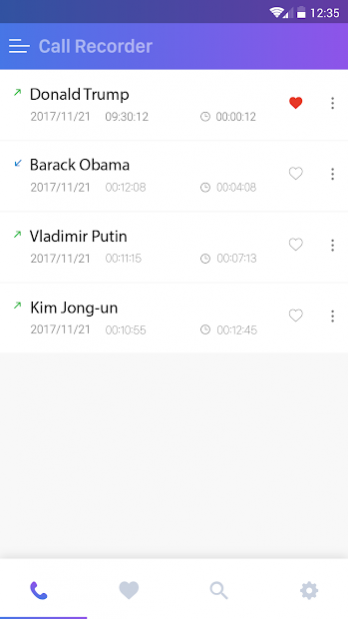
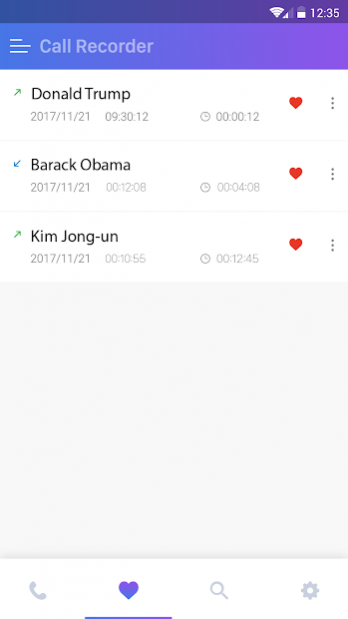
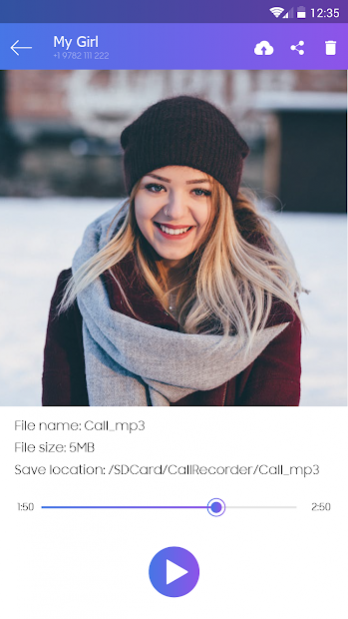

Call Recorder offers unique set of features which will allow you to record any call automatically. It is one of the best call recorders in the Play Store.
You can automatic call recording and save any phone call you want.
You can record on
SD card (external card) to get extra memory if your internal memory is low.
There are 5 default settings for automatic recording:
Record everything (default) – This setting records all calls except for contacts pre-selected to be ignored.
Ignore everything – This setting records no calls except for contacts pre-selected to be recorded.
Ignore contacts – This setting records all calls with people who are not contacts, except for contacts pre-selected to be recorded.
Record incoming calls
Record outgoing calls
Functions:
- Record your calls automatically while calling.
- Organize your call records. You can view all your calls with options such as list by time, group by names or group by dates.
- You can play back, or save your call to mp3 files on your SD card.
- Automatic call recorder
- Save your record and upload record to Google Driver
- Auto delete unsaved records after 1 week, 2 week
- Record outgoing call - record incoming calls
- Record all telephone conversations.
- Play audio recorded conversations.
- Delete recorded conversations.
- Blocking of the calls listed to the automatic removal.
- you can set automatically delete your records after 1 day, 2 days, 1 week, 2 week, etc...
- Send calls to listed to email.
- Show confirmation dialog for saving the recorded call. Ask immediately after the call and set up in the options.
- Favorite
- Search
- White list
- Black list
- And much more ...
- Set source (Mic, voice call, a video camera)
Auto call recorder is a the best free call recorder application with these features
Features:
- Enable/Disable call recording
- Records all your phone calls
- Record incoming call
- Record Outgoing call
- Favorite
- Search
- Play recorded audio
- Delete recorded items
- Excluded numbers
- Ability start delayed recording
- Different recording modes by number, contact, non-contact or just selected contacts
- Set password to protect privacy
- Lots of recording formats
- Set source (Mic, Voice call, camcorder)
- Marking recordings as important
- Multi select, delete, send
- Share recorded items
- White list
- Blacklist
- Displaying contact name and photo
- Lock recorded items to prevent from auto-cleaning
- And many more...
Share files:
- Dropbox
- Google Driver
- SMS
- Skype, FaceBooks...
Some phones do not support call recording properly. This is due to capabilities of different chipset/CPU or Android version each brand/model have.
Legal:
We are not lawyers.
Recording calls without letting your caller know may not be legal in some countries, or states.
About Auto call recorder
Auto call recorder is a free app for Android published in the System Maintenance list of apps, part of System Utilities.
The company that develops Auto call recorder is Weather Radar Team. The latest version released by its developer is 4.2.2.
To install Auto call recorder on your Android device, just click the green Continue To App button above to start the installation process. The app is listed on our website since 2021-08-11 and was downloaded 0 times. We have already checked if the download link is safe, however for your own protection we recommend that you scan the downloaded app with your antivirus. Your antivirus may detect the Auto call recorder as malware as malware if the download link to com.bstech.recorder.auto.callrecorder is broken.
The company that develops Auto call recorder is Weather Radar Team. The latest version released by its developer is 4.2.2.
To install Auto call recorder on your Android device, just click the green Continue To App button above to start the installation process. The app is listed on our website since 2021-08-11 and was downloaded 0 times. We have already checked if the download link is safe, however for your own protection we recommend that you scan the downloaded app with your antivirus. Your antivirus may detect the Auto call recorder as malware as malware if the download link to com.bstech.recorder.auto.callrecorder is broken.
How to install Auto call recorder on your Android device:
- Click on the Continue To App button on our website. This will redirect you to Google Play.
- Once the Auto call recorder is shown in the Google Play listing of your Android device, you can start its download and installation. Tap on the Install button located below the search bar and to the right of the app icon.
- A pop-up window with the permissions required by Auto call recorder will be shown. Click on Accept to continue the process.
- Auto call recorder will be downloaded onto your device, displaying a progress. Once the download completes, the installation will start and you'll get a notification after the installation is finished.
Program Details
System requirements
Operating systems
Android
Download information
File size
6.8 MB
Total downloads
0
Pricing
License model
Free
Price
Version History
Here you can find the changelog of Auto call recorder since it was posted on our website on 2021-12-14. The latest version is 4.2.2 and it was updated on Apps112 on 10 October, 2026. See below the changes in each version:
version 4.2.2
posted on 2021-08-11
Disclaimer
Official Google Play Link
We do not host Auto call recorder on our servers. We did not scan it for viruses, adware, spyware or other type of malware. This app is hosted by Google and passed their terms and conditions to be listed there. We recommend caution when installing it.
The Google Play link for Auto call recorder is provided to you by apps112.com without any warranties, representations or guarantees of any kind, so access it at your own risk.
If you have questions regarding this particular app contact the publisher directly. For questions about the functionalities of apps112.com contact us.
